

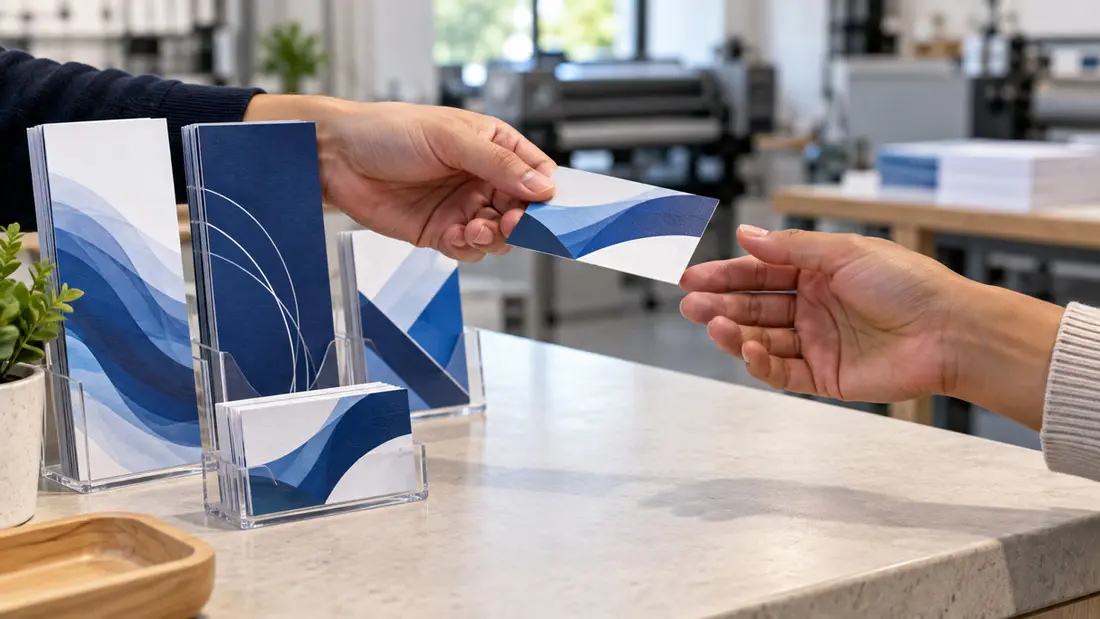
Deciding what to put on patient referral cards starts with what a new patient needs: your practice name, a brief service description, phone number, full address with suite number, and a booking destination. Add verified entrance or parking instructions if they help someone arrive. Pair a booking QR code with a readable web address, and leave patient medical information off this shared card.
What to put on patient referral cards for a useful handoff
Your logo needs supporting words. Add a plain-language line naming your specialty or main service category, and use the practice name shown on your website and at the office. Someone receiving the card from a friend may never have seen your logo before.
An invitation such as “Share our practice with someone you know” explains why the recipient is getting the card. Keep appointment reminders and intake paperwork separate. This card is for a patient to pass to a friend or family member, so use its space for an introduction and a way to make contact.
Which contact details belong on the card?
Use the new-patient phone number. Label it if its purpose could be unclear, rather than filling the card with departmental extensions. Include a provider name if it helps identify the practice; a full staff roster takes room away from booking information.
Keep the full address together: street address, city, state, ZIP code and suite number. Don't move the suite into a separate note. If your practice has multiple locations, identify the office this card represents so the recipient knows which address to use.
Choose one primary web destination. A booking page or a page explaining how new patients can request an appointment gives the reader a next step. Keep the phone number visible too. Hours and email are optional; put them on the linked page if hours vary or the card is crowded.
How should booking links and QR codes work?
Match the instruction to the page. “Book an appointment” should open a booking option; “Request an appointment” should lead to a request process. If the destination only explains services and supplies a phone number, describe that instead.
Place a short, readable web address beside the QR code and use a destination your practice controls. The page should name the same practice and location as the card. Linking directly to new-patient information saves the recipient from searching a general homepage.
Give the code clear space. Use strong contrast and keep decorative artwork away from it, then test a printed proof at actual size with more than one phone. Type the visible URL into a browser as a separate check. Both routes need to work.
How much arrival guidance should you include?
Use arrival copy to answer a specific question, such as which entrance to use or where patient parking is located. State the floor if that helps. Verify every instruction before printing, and describe only access arrangements that apply to your building.
“Use the main lobby entrance” gives a clearer instruction than “easy parking” when it accurately describes the site. Longer directions or a small map need more room. Retain the full address even with a map or directions QR code, so someone can enter it into their preferred navigation app or read it over the phone.
Which size fits your referral card copy?
Classic Business Cards, from $25.70, suit a compact handoff with practice identity, a short service description and contact details. They're convenient to pass along and keep in a wallet. Choose this format when the required copy fits comfortably after you remove optional wording.
Use both sides if needed. Put the practice name and invitation on the front, with contact details and booking information on the back. Keep each instruction beside its destination so the reader doesn't have to flip the card repeatedly to connect them.
Rack Cards, from $51.71, give directions and service explanations more room. Choose this format for a map, a fuller explanation of arranging a first visit or an introduction to several services. Use the extra space to make the text easier to read.
Don't shrink type to force a fit. If a business card needs tiny lettering or unexplained abbreviations, shorten the copy or choose a rack card. Confirm the selected product's finished dimensions before laying out the artwork, then judge the design at that size.
How do materials, finishes and quantities affect the order?
Choose paper and finish separately from format. Review the stock and finish options offered for your selected product, and consult the guide to uncoated business cards for how ink and paper affect that choice. Check that the contact details remain readable with the option you're considering.
Base quantity on expected handouts before your contact details or booking destination may change. A larger order leaves more cards to replace if information becomes outdated. Compare the total quote for the quantity you expect to use.
The starting prices above aren't quotes for every specification. Ask for the cost of your selected format and quantity, including your paper or finish options. If you need design help, include that service in the quote request so you can assess the full job.
How should you set up the print file?
Give the practice name a clear position and make the contact details easy to find. Use a straightforward typeface with strong contrast, leaving space between information groups. Keep the phone number and address off photographs or busy patterns that compete with the lettering.
Print the artwork at actual size. Read the smallest text without enlarging it on screen, especially the suite number and web address. Keep required content safely inside the trim edge, and extend background artwork into the bleed according to the product's file requirements. Check those requirements before exporting.
If approved wording fits but the arrangement feels crowded, Custom Design layout help can help develop the card. Supply the approved copy and booking destination so the layout starts with the information you need to print.
What mistakes should you catch before ordering?
Remove fields for medical information. A card shared with friends or family doesn't need symptoms, diagnoses, medications or treatment history. Leave off the referring patient's name and any space asking why another person should seek care.
Have the person responsible for practice information verify the wording, contact details and arrival instructions. Review both sides together. Scan the printed QR code again to check its destination, and confirm that the final artwork matches the selected format.
Order Classic Business Cards when the required details fit comfortably, or choose Rack Cards for longer directions and service explanations. For help choosing the format, bring your draft to Angels Print at 8511 Lankershim Blvd, Sun Valley, CA.
Frequently asked questions
What information should be on a patient referral card?
Include the practice name, a brief service description, phone number, full address with suite number, and a booking destination. Add verified arrival instructions if they help the recipient find the office.
Should patient referral cards have a QR code?
A QR code can make the booking page easier to open. Include a readable web address and phone number too. Explain what the code opens, leave clear space around it, and test a printed proof at the final size.
Is a business card or rack card better for patient referrals?
Choose a business card when the required details and a brief arrival note fit comfortably. A rack card gives a map, longer directions or service explanations more space. Check readability at the finished size before choosing.
Should a patient referral card include medical information?
Leave medical information off a card patients share with friends or family. Use the space to introduce the practice and explain how to make contact. Don't add fields for symptoms, diagnoses or treatment details.