

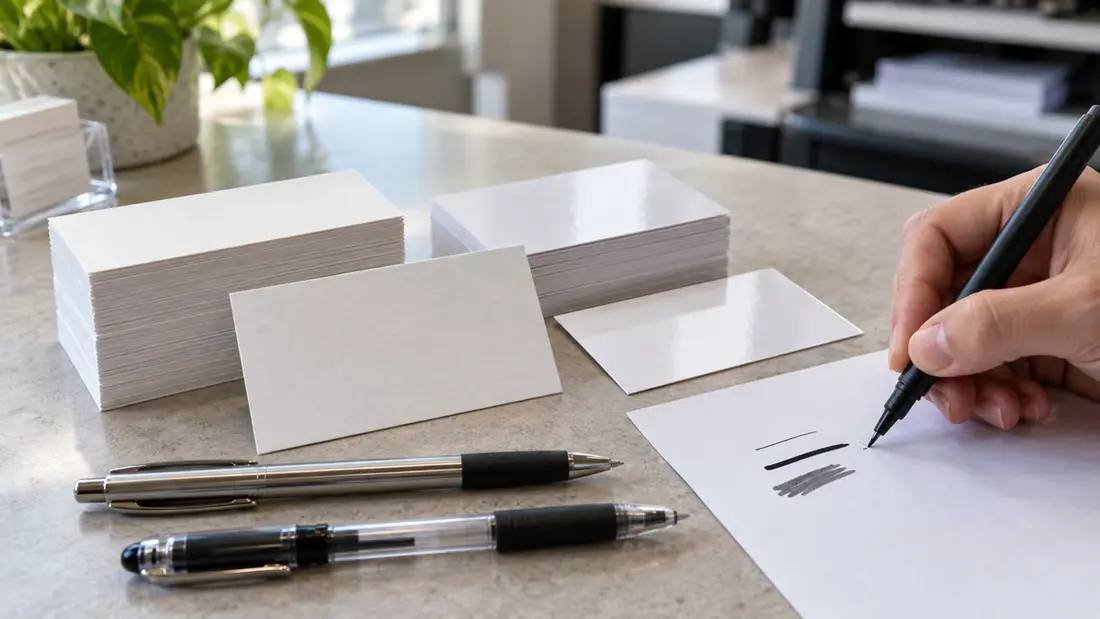
Can you write on business cards? Yes, but choose the writing surface before you order. Uncoated paper generally accepts ordinary pen ink more readily. Glossy, coated and laminated surfaces can make ink skip, smear or take longer to dry.
AI-generated illustration; no physical pen test is shown.
Thickness doesn't tell you enough. For appointment times or estimates, you need a surface that works with your pen and keeps the note readable after handoff. Test that exact combination before committing to a quantity.
Where can you write on business cards without smearing?
Uncoated business cards, from $24.35, are a starting point for handwritten notes at reception desks or on service estimates. Their exposed paper surface generally accepts ordinary pen ink more readily than a sealed surface. That still needs checking with your pen.
Paper texture and ink formulation affect the line, along with how much ink the pen deposits. A broad, wet marker can spread into paper fibers. A fine pen may leave a cleaner line.
Leave the writing area light, preferably free of printed ink, because heavy printed coverage can change how it behaves. See how ink behaves on uncoated business cards for more on the material.
Can classic business cards have a writable finish?
Classic Business Cards start at $25.70. For the default 14PT Coated Both Sides stock, the finish selector offers Glossy, 2 Sides; Dull Matte, 2 Sides; and UV High-Gloss, 2 Sides. The default finish is Glossy, 2 Sides. Changing the stock changes the available finishes.
Matte doesn't mean uncoated. Dull matte describes appearance, so it isn't proof that a ballpoint will write cleanly. A white rectangle in your artwork can still receive the selected finish. Removing background artwork doesn't remove coating.
The stock selector also lists 14PT Coated One Side and 100# Uncoated Cover. The catalog offers front-only Glossy or UV High-Gloss finishes with one-sided coated stock, and Uncoated, 2 Sides with uncoated stocks. Specify which side you intend to write on, confirm the complete configuration, and ask about a matching sample before ordering classic business cards. Menu options aren't physical pen-test results.
What has actually been tested?
No physical samples or recorded pen-test observations were available for this article. Drying, smearing and legibility remain unverified for both featured products. Use the checks below as a testing guide. No combination has been shown to pass.
Label each sample with its product, stock and writing-side finish. Record whether the test area is printed or blank. A label might read “Classic Business Cards; 14PT Coated Both Sides; Glossy, 2 Sides; blank reverse area,” but use that description only if it matches the supplied sample.
For an uncoated sample, record the supplied stock specification and confirm that the writing area has no added coating or laminate. Keep finishes separate during testing. A good result on one surface doesn't establish that another will work.
How do you test pens for drying and smearing?
Test the pens you'll keep beside the cards. Compare an ordinary ballpoint with a gel pen, a rollerball and a fine permanent marker. Record each pen's brand and model, including tip size and ink color, so you can repeat a successful result.
Check drying at timed intervals. Write the same short appointment time and name several times. Press clean white paper against separate entries after 5, 15, 30 and 60 seconds, recording any transfer. These are observation points, not predicted drying times.
At each interval, swipe a finger lightly across a separate matching entry to check smearing. Record whether the line stays intact, leaves a faint trail or becomes unreadable. Use fresh entries each time. Repeated rubbing changes the test.
Inspect writing before and after handling for gaps in strokes and feathered edges. Check for filled-in numerals or weak contrast, too. Dry ink can still be unreadable, so make sure you can distinguish every digit in an appointment time.
Keep results for each stock, finish and pen combination. Record the first observed no-transfer interval alongside smear behavior and legibility; mark unchecked results “not tested.” Choose a combination that stays readable within the time you have before handing over the card.
How much writing space should your card have?
For an appointment card, put your business identity and contact details on the front. Reserve the reverse for “Date,” “Time” and “With,” leaving generous spaces after each label. Keep graphics away from those fields and allow room for AM or PM.
An estimate card needs separate writing areas for “Work,” “Estimate” and “Valid through.” Give the work description the most space. Label the amount clearly so it isn't mistaken for a payment receipt; if the scope takes several sentences, reference a separate estimate.
For a personal note, leave a light, open area on the reverse for a short introduction or reminder. “We discussed” can serve as a small printed prompt. Keep handwriting clear of QR codes and contact details the recipient needs.
Check the layout at actual size. Print it and fill it in with your normal handwriting, leaving room inside the trim edge and between fields. If the writing feels cramped, revise the layout before choosing the final card size.
For file setup, identify the intended writing side and confirm the printer's artwork requirements before submitting. A blank field doesn't specify an unfinished surface. Business card layout help can arrange printed information around the space your handwriting needs.
What should you confirm about quantity and cost?
The listed prices are starting prices. Confirm the total for your chosen quantity, size, stock and finish, then match the quote to the configuration you tested. Otherwise, your sample and priced order may refer to different writing surfaces.
Specify the writable side and intended pen, including whether you'll hand cards over immediately. Discuss the complete configuration through business card printing services. Test a matching sample in the same area where you'll write on the finished order.
Once you've confirmed the surface suits your pen, order uncoated business cards online. If you're still choosing stock, request a sample first. You can also bring your intended pen and layout to Angels Print at 8511 Lankershim Blvd, Sun Valley, CA, to discuss the writing area.
Frequently asked questions
Can you write on business cards with a regular pen?
Yes. An ordinary ballpoint generally works best on an uncoated writing surface. Coatings, laminates and heavy printed coverage can affect ink adhesion and drying. Test your exact card and pen, including a light smear check before handoff.
Can you write on matte business cards?
Sometimes. Matte describes appearance; it doesn't mean uncoated. A coating or laminate may affect pen ink, so confirm the surface specification and test a matching sample. Low gloss alone doesn't establish writability.
What pen works on glossy business cards?
A fine permanent marker may work on some glossy surfaces, but compatibility and drying vary. Ballpoints can skip, while wetter inks can smear. Test the marker on the finished card for transfer and readability after handling.
How long does pen ink take to dry on business cards?
There's no universal drying time. The pen, ink, surface and amount deposited all affect it. Check separate entries at 5, 15, 30 and 60 seconds for transfer and smearing. Those intervals aren't promised drying times.
Does a blank area make a business card writable?
A blank area gives handwriting room and improves contrast, but coating or laminate can still cover it. Confirm the intended surface and test it with your pen before ordering.