

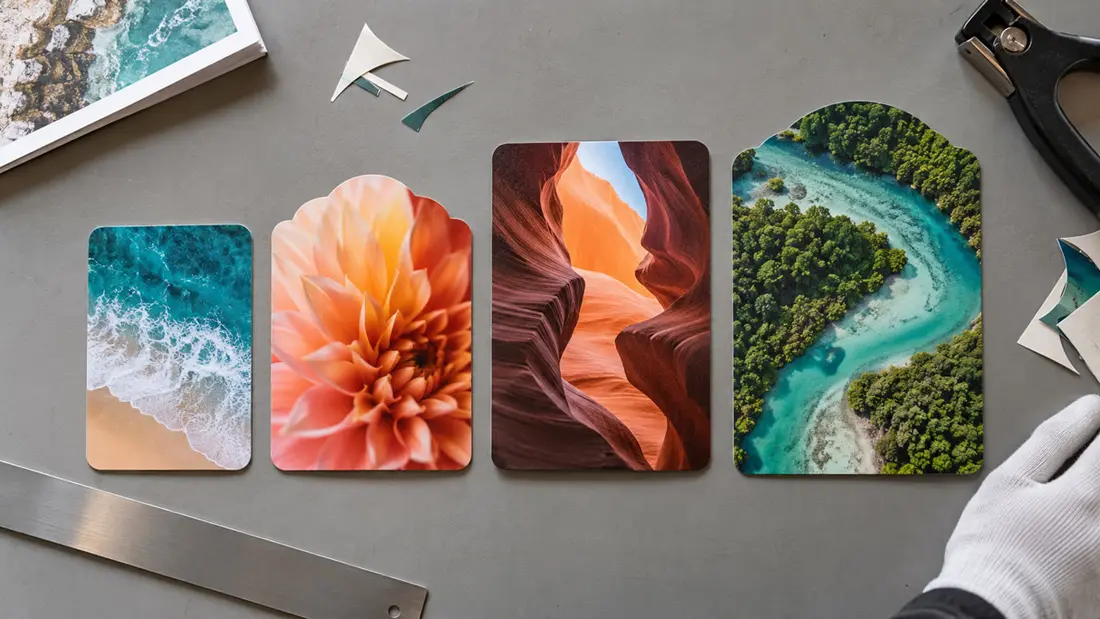
A common standard postcard size in inches is 4 x 6. It's also the default size for Angels Print’s Postcards and Direct Mail Postcards. Other listed dimensions include 4.25 x 5.5, 5 x 7, 5.5 x 8.5 and 6 x 9 inches. Availability depends on the product.
Start with your actual message. A short offer and a contact number need less space than a service explanation with several photographs. Choose the finished dimensions before building the artwork. Changing proportions later can mean moving text and cropping images.
Which postcard size in inches fits your layout?
Regular Postcards and Direct Mail Postcards both list the sizes discussed below. Each gives you different working space. Choose enough room for readable type without feeling you have to fill every corner.
For 4 x 6 inches, think of a brief announcement or a single offer. Keep the main message short. Use the remaining space for the response you want, such as a phone call or website visit.
4.25 x 5.5 inches is slightly wider and shorter than 4 x 6 when compared in the listed orientation. Check your artwork’s proportions. A layout built for one won't fit the other unchanged.
Consider 5 x 7 inches if your 4 x 6 layout feels cramped. It gives a photograph and supporting copy more room without moving to one of the largest listed formats.
5.5 x 8.5 inches provides room for a longer explanation or separate sections. Try a paper mockup first. Print it at actual size before deciding the extra space needs more content.
At 6 x 9 inches, you gain room in both dimensions compared with 5.5 x 8.5. That can help with larger images or more separation between the offer and its details.
Both product pages also list 8.5 x 11 inches. Choose it for a layout that needs the space. Mailing needs a separate check. Review the complete mailing plan if you intend to send the piece through the mail.
Regular Postcards also list 4 x 4, 6 x 6, 4 x 9 and 4.25 x 11 inches. Square and narrow formats change how you arrange the message. Sizes aren't interchangeable across products. Check the page for the postcard product you're ordering.
Which postcard product should you order?
Postcards start at $35.61, with a default run of 50 pieces and listed quantities extending to 50,000. Printing can be front only or front and back. Start here to compare rectangular and square paper postcard options.
Direct Mail Postcards start at $162.55, with a default run of 500 pieces. Quantities range from 500 to 50,000, and variable data is a listed option. Planning a mailing takes another step. Read our EDDM and postcard direct mail guide before finalizing the layout.
Die Cut Postcards start at $178.94, with a default run of 50 pieces. Listed sizes include 4.25 x 5.5, 5.5 x 8.5, 6 x 9, 4.25 x 11 and 8.5 x 11 inches, plus a custom-size option. Confirm the cutting requirements first. Then prepare the artwork around your intended outline.
Magnetic Postcards start at $135.83, with a default run of 100 pieces. They use 17PT Indoor Magnet and print on the front only. Listed dimensions include 6 x 4 and 5 x 7 inches, with available sizes depending on the selected shape. A two-sided paper layout needs reworking.
These are catalogue starting prices. They aren't prices for every size described above. The configurator confirms compatible options; checkout shows the final price for your selected configuration.
How do stock and finish affect the choice?
Size describes the card’s face. Stock describes what it's printed on. Regular Postcards offer options including 14PT coated stock, 16PT coated two sides and 100# uncoated cover. PT and pound labels describe different paper characteristics, so their numbers don't share one scale.
Decide which surfaces need coating. A coated front with an uncoated back differs from stock coated on both sides. If someone needs to write on the card, identify that area before choosing the stock and finish. Confirm suitability for the intended pen.
Regular Postcards list glossy finishes, matte lamination and soft touch lamination, with availability tied to the selected stock. Foil and raised spot UV are also listed. Get the layout working first. Decoration won't fix text squeezed into a card that's too small.
What changes the price beyond postcard dimensions?
Compare the same quantity and printed sides. Review size, stock and finishing together, while checking production options for your product and quantity. Change one setting at a time. You'll find it easier to see which specification suits your budget.
The default runs differ substantially. Regular and die cut postcards show 50 pieces, direct mail shows 500, and magnetic postcards show 100. Configure the quantity you actually need. Starting prices alone don't describe equivalent purchases across all four products.
How should you set up the artwork?
Build around the selected finished size, then follow that product’s bleed and safe-area requirements. Bleed extends artwork beyond the trim edge. The safe area keeps important content away from that edge. Don't guess at an allowance. Ask if the product requirements haven't specified one.
Check the accepted upload file types. A print-ready PDF can be useful for a completed layout, but the selected product’s requirements govern submission. Check image resolution at final print size, especially when enlarging a design from 4 x 6 to 6 x 9 inches.
An upload doesn't confirm production readiness. Neither does a preview. Angels Print provides a digital proof by email on request, and production begins after your approval. Review the dimensions and read every line before approving. Screen colors may differ from print.
What should you check before ordering?
Check your artwork orientation first. A 6 x 4 rectangle has the same edge lengths as a 4 x 6 rectangle, but the layout still needs to match your intent. Then check the selected printed sides. Magnetic Postcards offer front-only printing.
Confirm any custom size and finish combination in the configurator before completing the design. Missing an artwork requirement? Ask us before preparing the file, especially for die cutting, where the outline affects the space available for your message.
Order your selected postcard product online, or call Angels Print at (818) 806-9006 to discuss dimensions and artwork requirements. You can also visit 8511 Lankershim Blvd, Sun Valley, CA 91352. Bring your intended size and quantity so we can work through the specifications with you. Pickup is always free.
Frequently asked questions
What is a standard postcard size in inches?
A common standard postcard size is 4 x 6 inches. It's the default for Angels Print’s regular Postcards and Direct Mail Postcards. Other listed choices include 5 x 7, 5.5 x 8.5 and 6 x 9 inches.
Are 4 x 6 and 6 x 4 postcards the same size?
They have the same edge lengths, written in reverse order. Orientation still matters for your layout. Match the artwork to the selected product specifications; don't assume an upload will rotate or rearrange the design.
Can I order custom postcard dimensions?
Regular Postcards, Direct Mail Postcards and Die Cut Postcards list custom-size options. Permitted dimensions depend on the product. Check the configurator, then confirm any missing artwork requirements before building your custom-size file.
What size should my postcard artwork be?
Start with your selected finished dimensions. Follow the product’s stated bleed and safe-area requirements, and check image resolution at final print size. Don't assume an unlisted allowance. Ask Angels Print about missing requirements before preparing the artwork.